While Global Files are used in every one of your OC Chat Console conversations, you can add files to individual conversations as well.
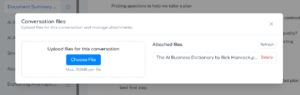
To add one or more files to an individual conversation, click the paperclip icon on the bottom of the console, then use the drag-and-drop area or click Choose File.
To remove a file from the conversation, click Delete next to the file you want to remove.
To add or remove global files, click Manage Global Files on the top-left part of the console.