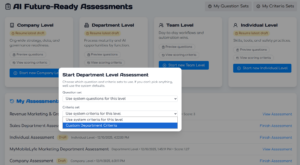
One-Click AI gives you complete control over your AI Readiness Assessments, including the questions you ask and the criteria you use to evaluate the answers.
Start with one of the four Assessment levels: Company, Department, Team, and Individual. To see the default questions for a level, click Preview questions. To preview the criteria for that level, choose View scoring criteria.
Click the blue button under your desired level, and you will see a popup with options to let you choose specific Question and Criteria sets. Once you are ready to get started, click Continue.