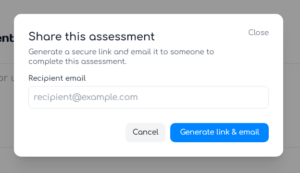
One-Click AI gives you the ability to email a link for a user outside of the app to complete an Assessment.
To get started, start a new Assessment, then click Share assessment on the top-right of the window. In the popup, enter the email of the person that will complete the Assessment, then click Generate link & email. The recipient will get an email with the link that will let them answer individual questions (either by typing or speaking their answers into their microphone).
After the recipient finishes the Assessment, you will receive an email notification and see that Assessment as Pending Review in your Assessment list. Click on Finish Assessment to finish and run the results.