To use any prompt in the Prompt Library, simply click Insert Into Chat: this will take you to the OC Chat Console, where your prompt will be waiting for you to use.
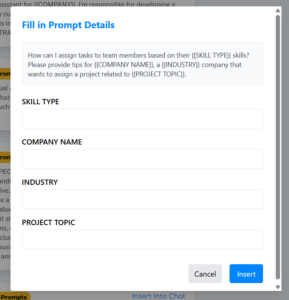
If your prompt contains one or more placeholders surrounded by {{double curly brackets}}, you will see a popup on the screen after clicking Insert Into Chat: enter text into each field to fill in the placeholders, then click Insert to add the completed prompt to the OC Chat Console.