The Prompt Library lets you create and edit your own prompts that you want to reuse in the OC Chat Console.
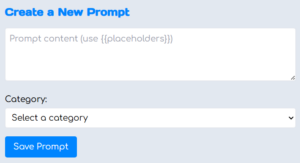
To add a new custom prompt, go to the Create a New Prompt section, enter the prompt text, choose a category, then click Save Prompt.
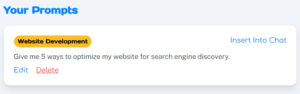
When entering your prompt text, you can include placeholders by surrounding a term with double curly brackets like this: {{YOUR CUSTOM TERM}}. Then, when you click Insert Into Chat next to a prompt, you can fill in the placeholders before sending the prompt to the OC Chat Console.
Once you save a custom prompt, you can Edit or Delete using the linked options on the prompt.