
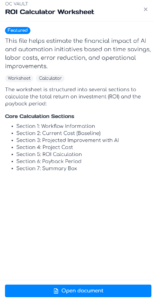
To open a document in the OC Vault, click the panel of the item you want to view, then click Open document on the bottom of the window.
The next page will show the Document Viewer containing your selected item. If the item doesn’t appear in your browser, use the Open in new tab button to open the file.